
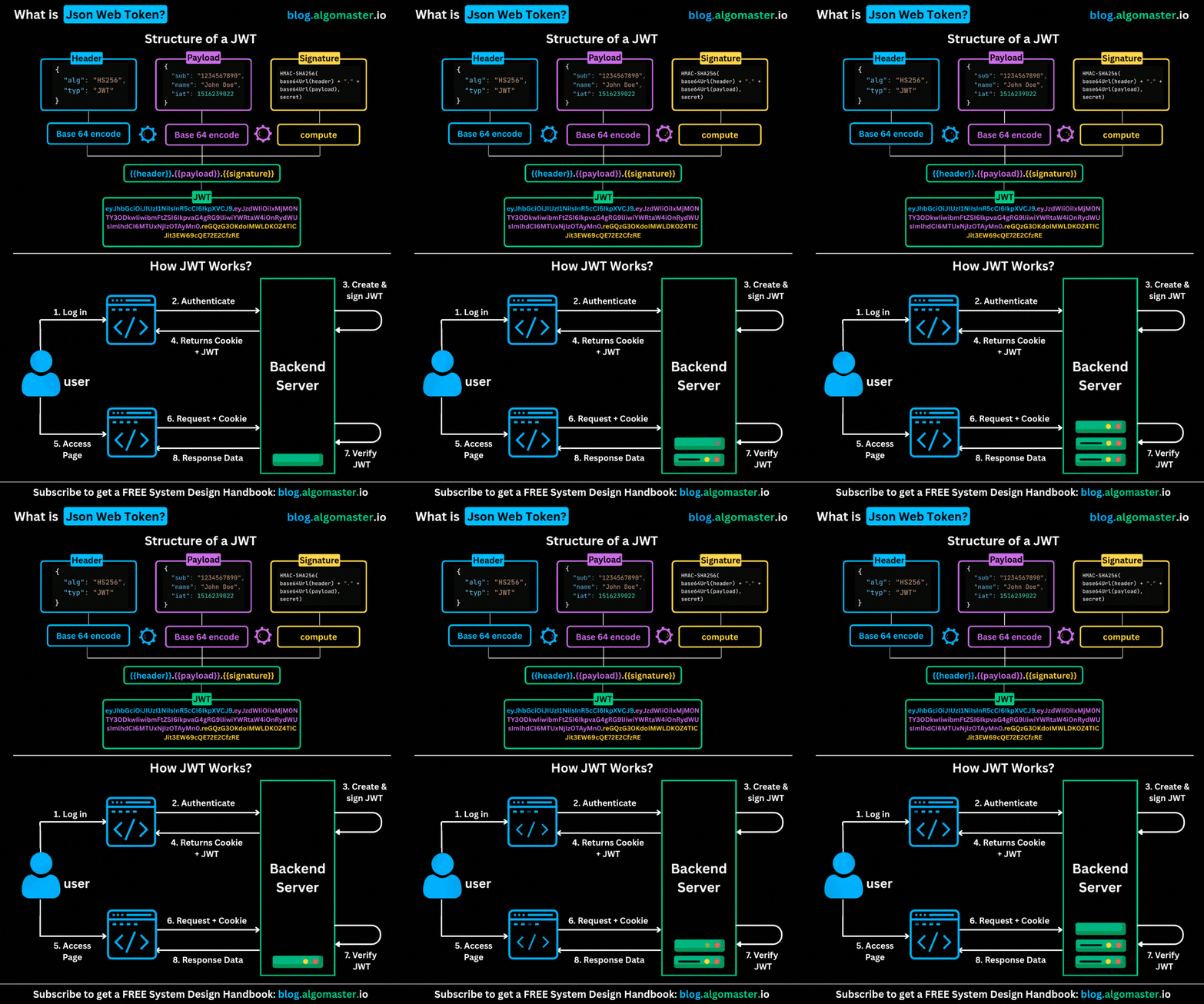
JWTs are particularly useful when an application is completely stateless.
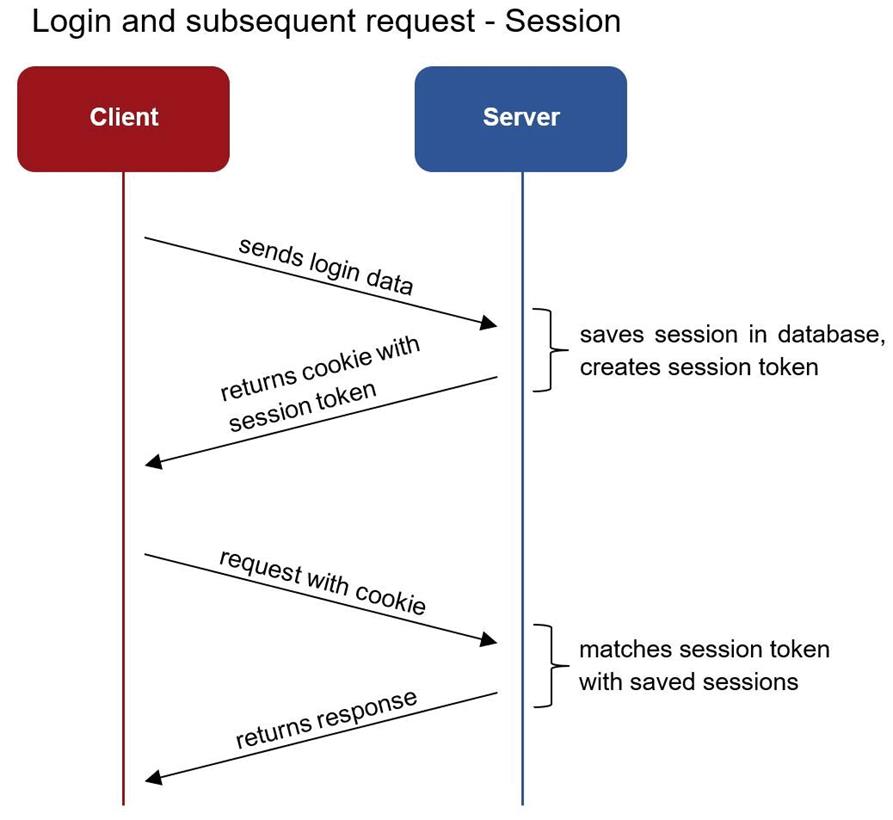
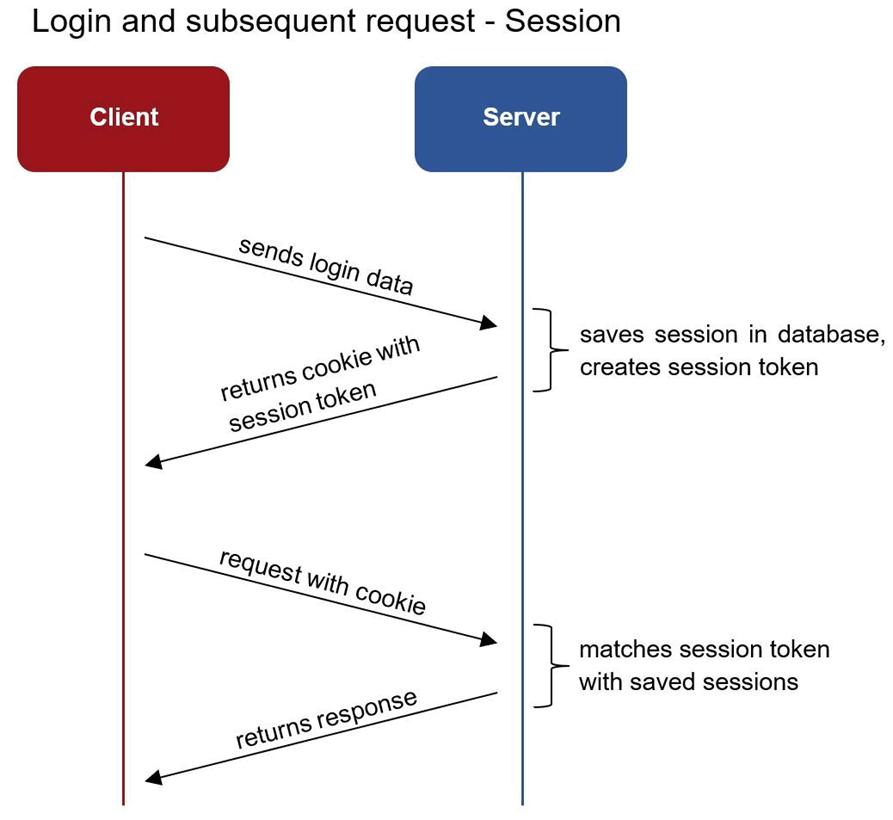
The application itself is not stateless and uses sessions.
A combination of session tokens and JWTs can therefore be very useful depending on the application.
When stored in the browser’s cookies, it is possible to set the “HttpOnly” flag (and “Secure”),
to get protected against token theft in case of XSS attacks.
Registered claims : iss (issuer), exp (expiration time), sub (subject), aud (audience)
{ alg: "HS256", typ: "JWT" }.{ iss: "my-site.auth.com", aud: "my-site.com", exp: 1435937883,
id: 1234567890, username: "Denis Dekh", roles: ["Admin"] }.S9Zs/8/uEGGTVVtLggFTizCsMtwOJnRhjaQ2BMUQhcY
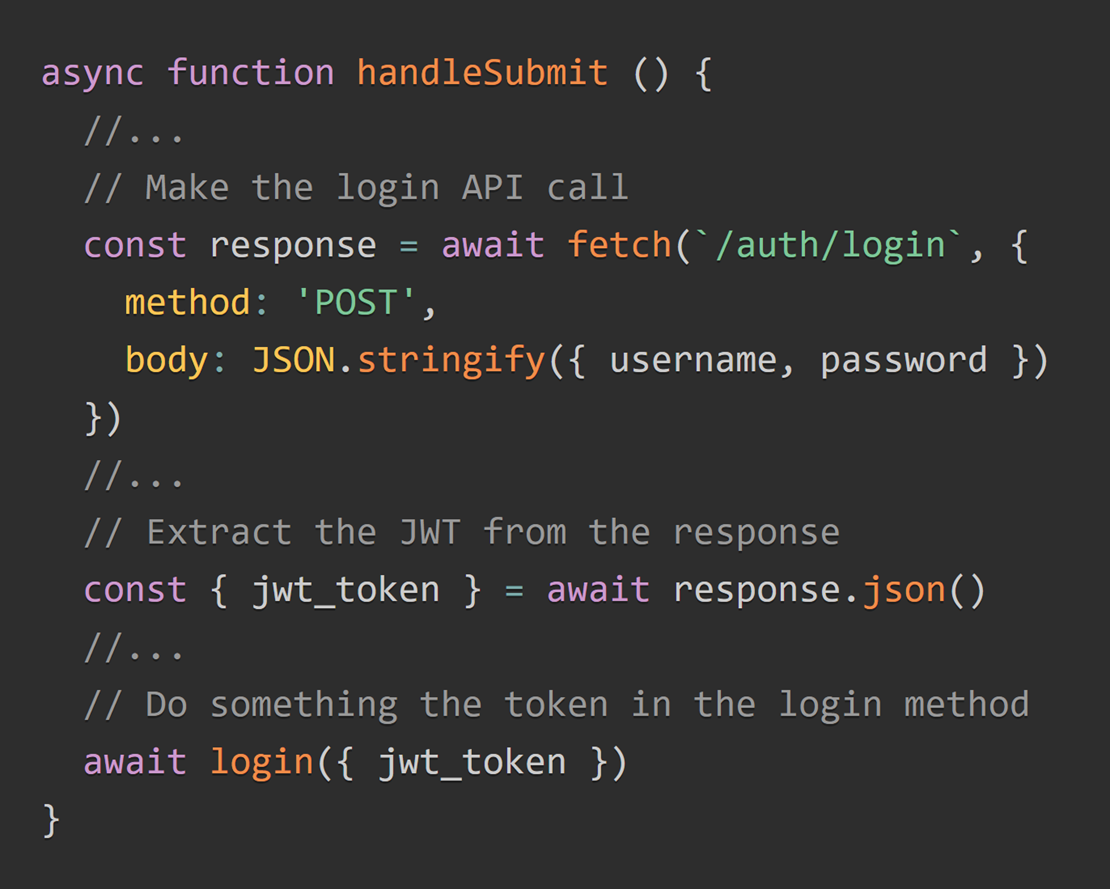
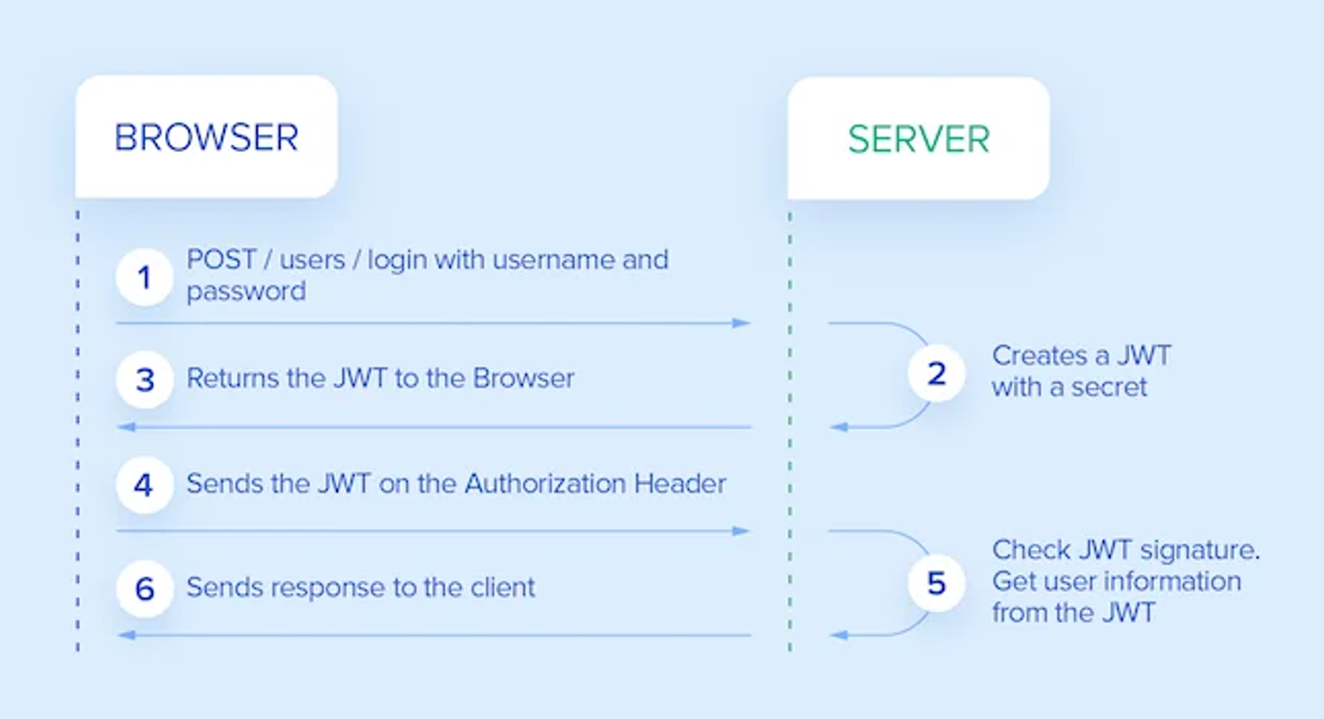
The Ultimate Guide to handling JWTs on frontend clients (GraphQL) (hasura.io)
"How to Prevent:"
· Store the token using the browser sessionStorage container.
· Add it as a Bearer HTTP Authentication header with JavaScript when calling services.
· Add fingerprint information to the token.
How to Prevent:
A way to prevent it is to add a "user context" in the token. A user context will be composed of the following information:
· A random string that will be generated during the authentication phase.
· It will be sent to the client as an hardened cookie (flags: HttpOnly + Secure + SameSite + cookie prefixes).
· A SHA256 hash of the random string will be stored in the token (instead of the raw value) in order
· to prevent any XSS issues allowing the attacker to read the random string value and setting the expected cookie.
By storing the token in browser sessionStorage container it exposes the token to being stolen through a XSS attack.
However, fingerprints added to the token prevent reuse of the stolen token by the attacker on their machine.
To close a maximum of exploitation surfaces for an attacker, add a browser Content Security Policy to harden the execution context.
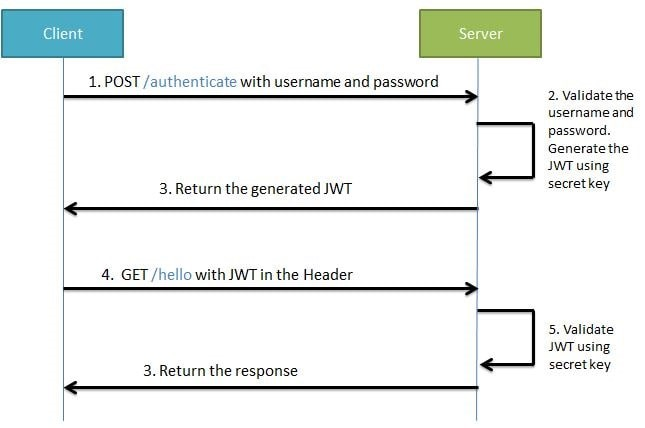
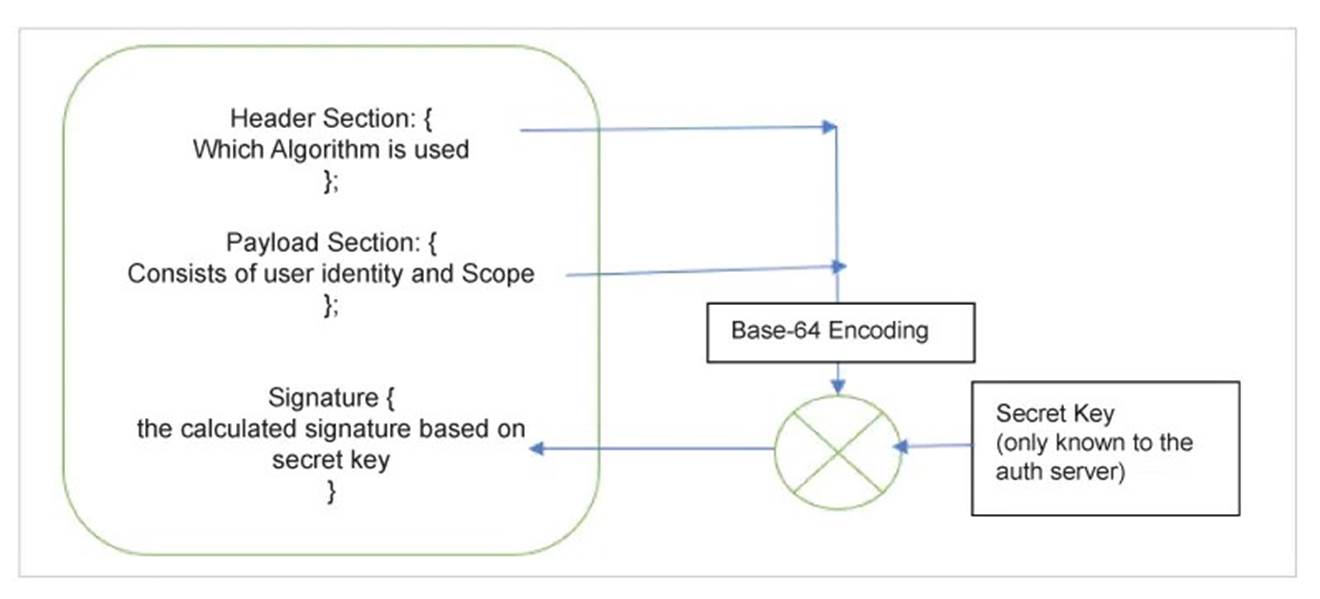
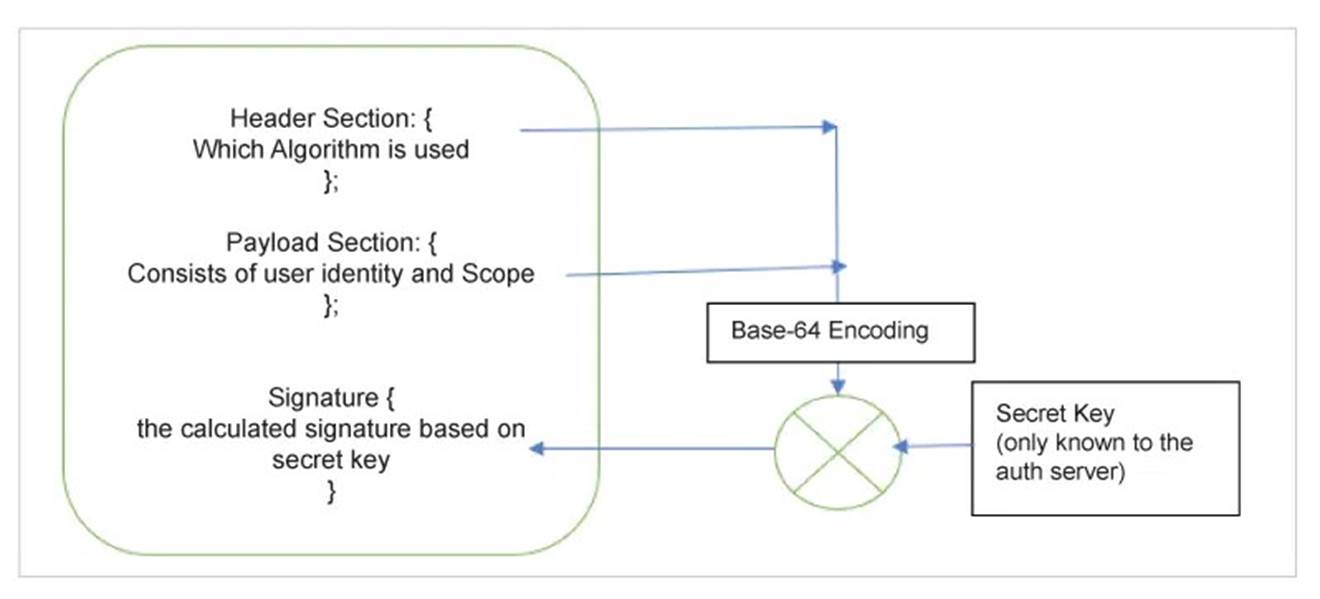
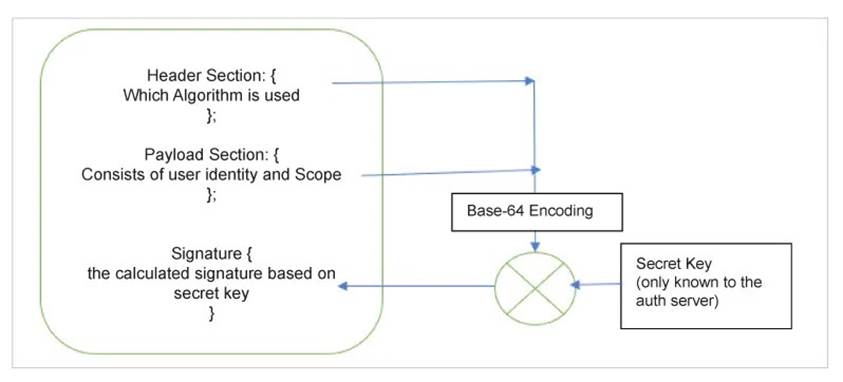
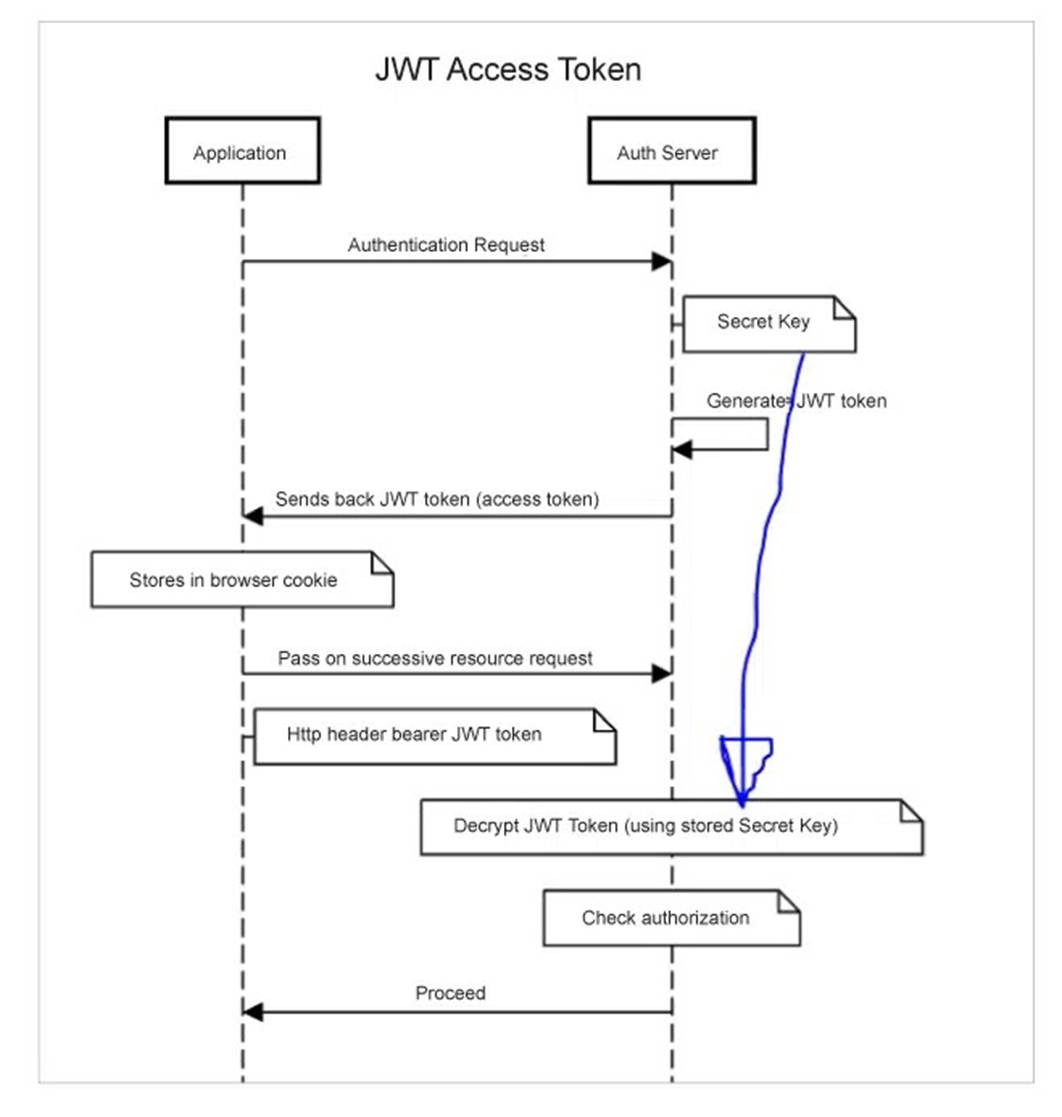
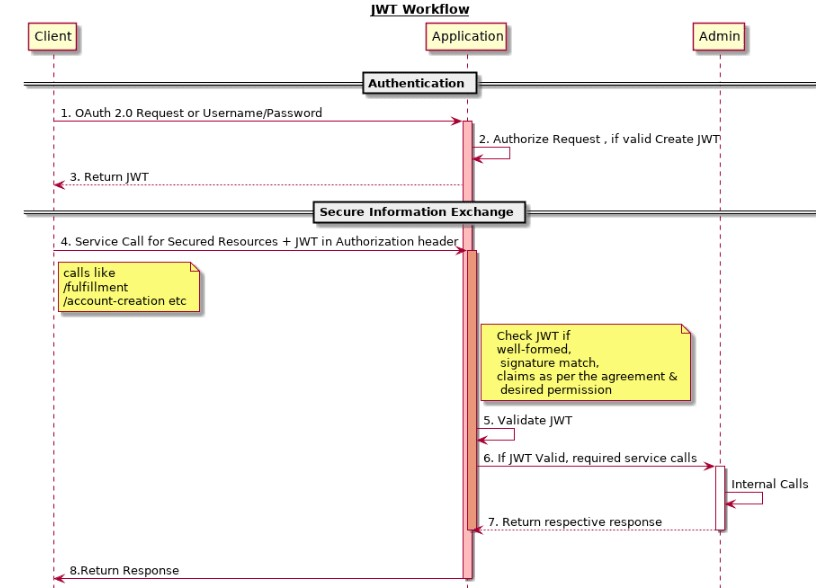
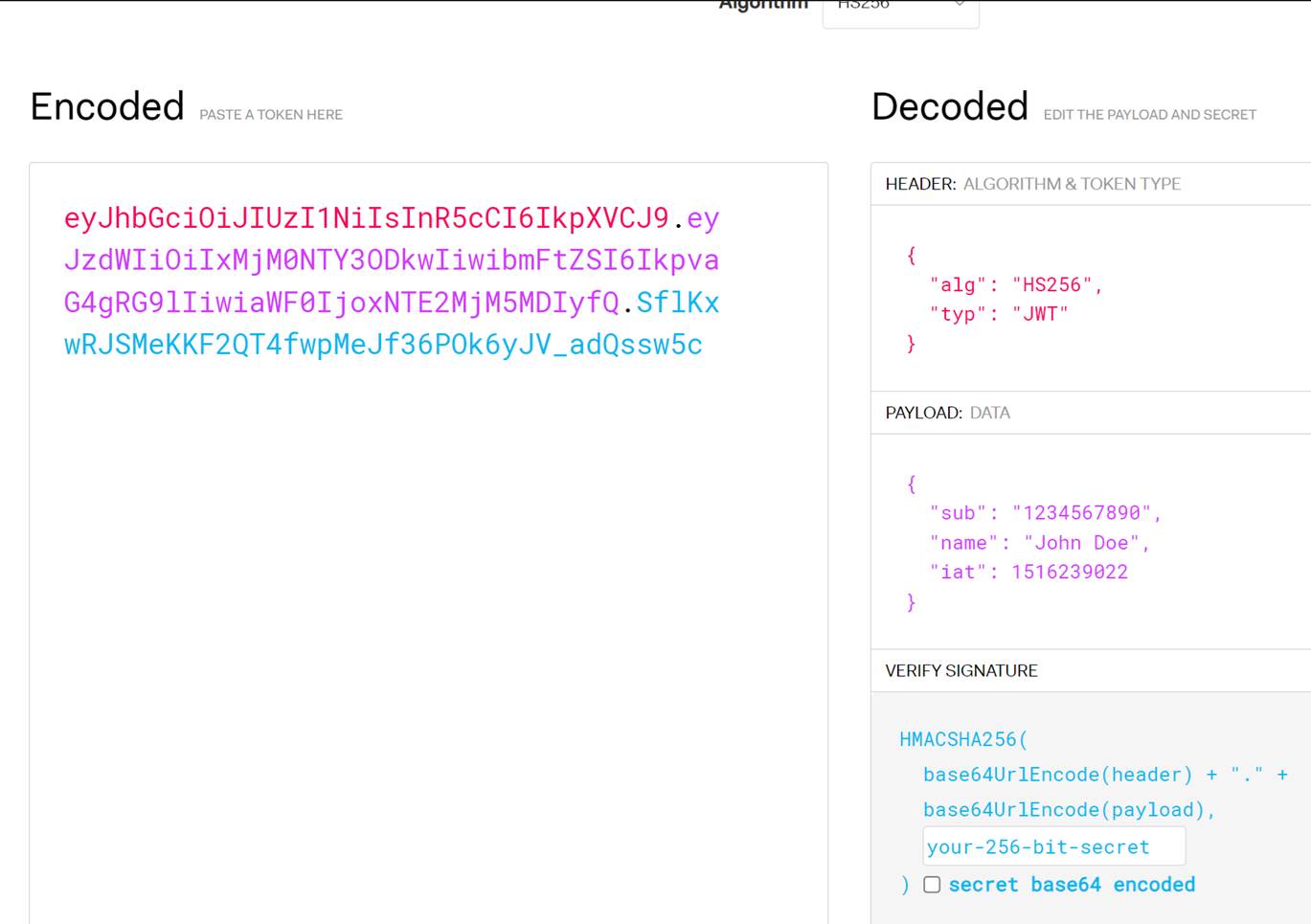
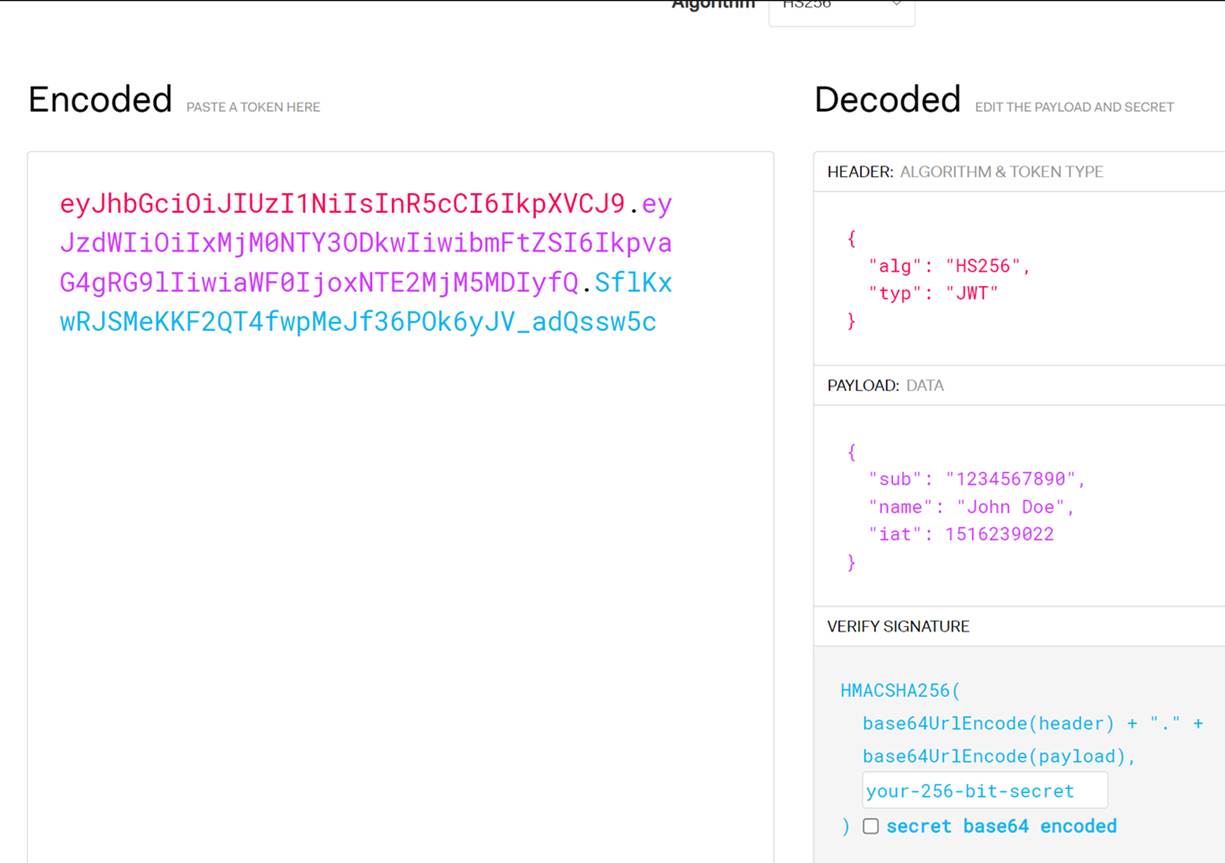
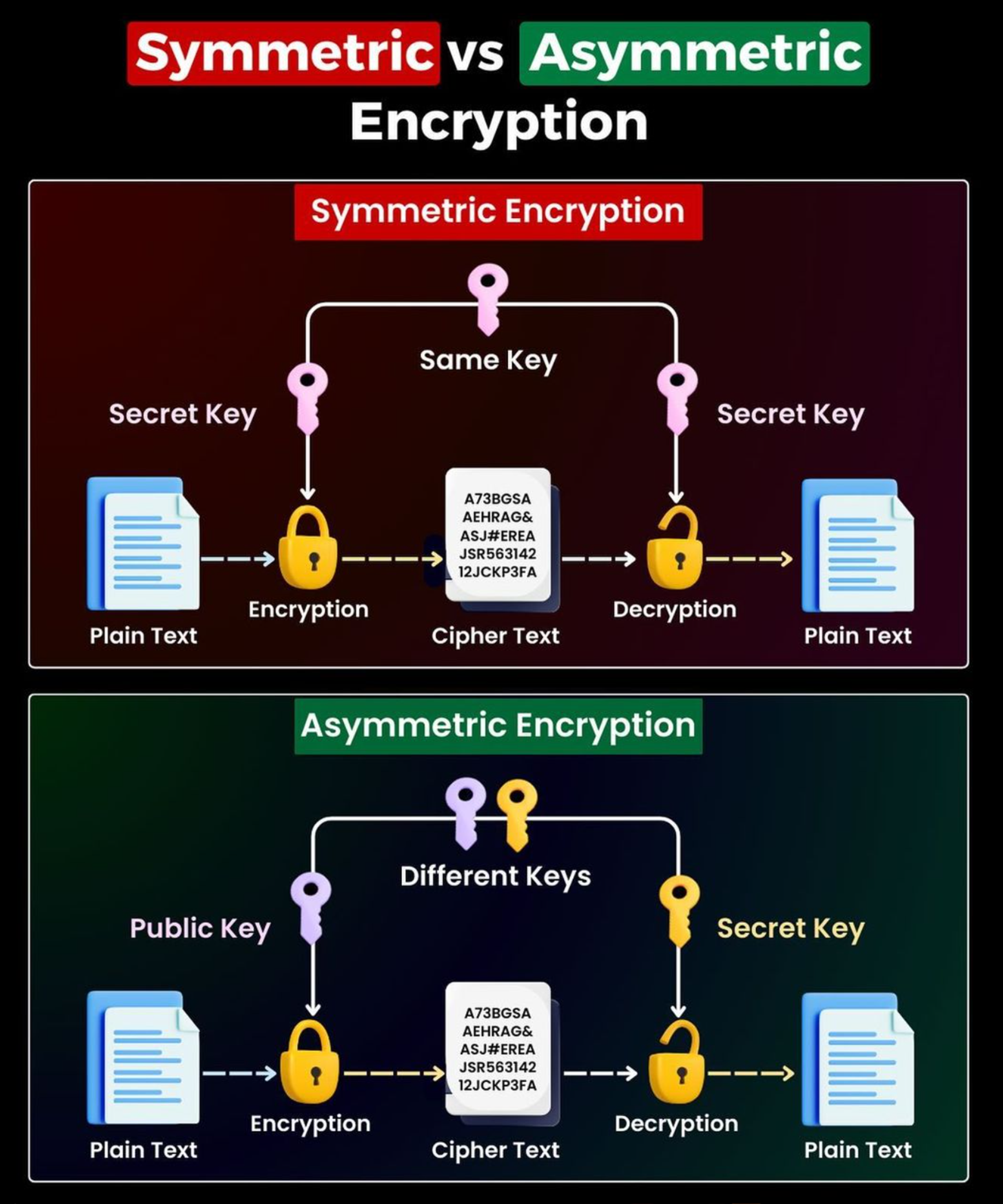
This secret key is kept only by application server and okta /some authorization server
Using this final jwt key can be generated and validated.
(16) Spring Boot Security - JWT Refresh Token Explained In Details | JavaTechie - YouTube
(16) Spring Boot 3.0 + Spring Security 6 | JWT Authentication & Authorization | JavaTechie - YouTube
Microservices Security Using JWT | Spring Cloud Gateway | JavaTechie (youtube.com)
(16) How does Spring Security Authentication work internally | JavaTechie - YouTube
Spring Security Architecture Explained (youtube.com)
Q:
How do you secure REST APIs?
A: Using OAuth2, JWT tokens, API keys, HTTPS, rate limiting, and proper CORS
policies.
Q:
How do you parse XML/JSON in Java?
A: For XML, I use JAXB or DOM parsers. For JSON, I use Jackson or Gson
libraries.
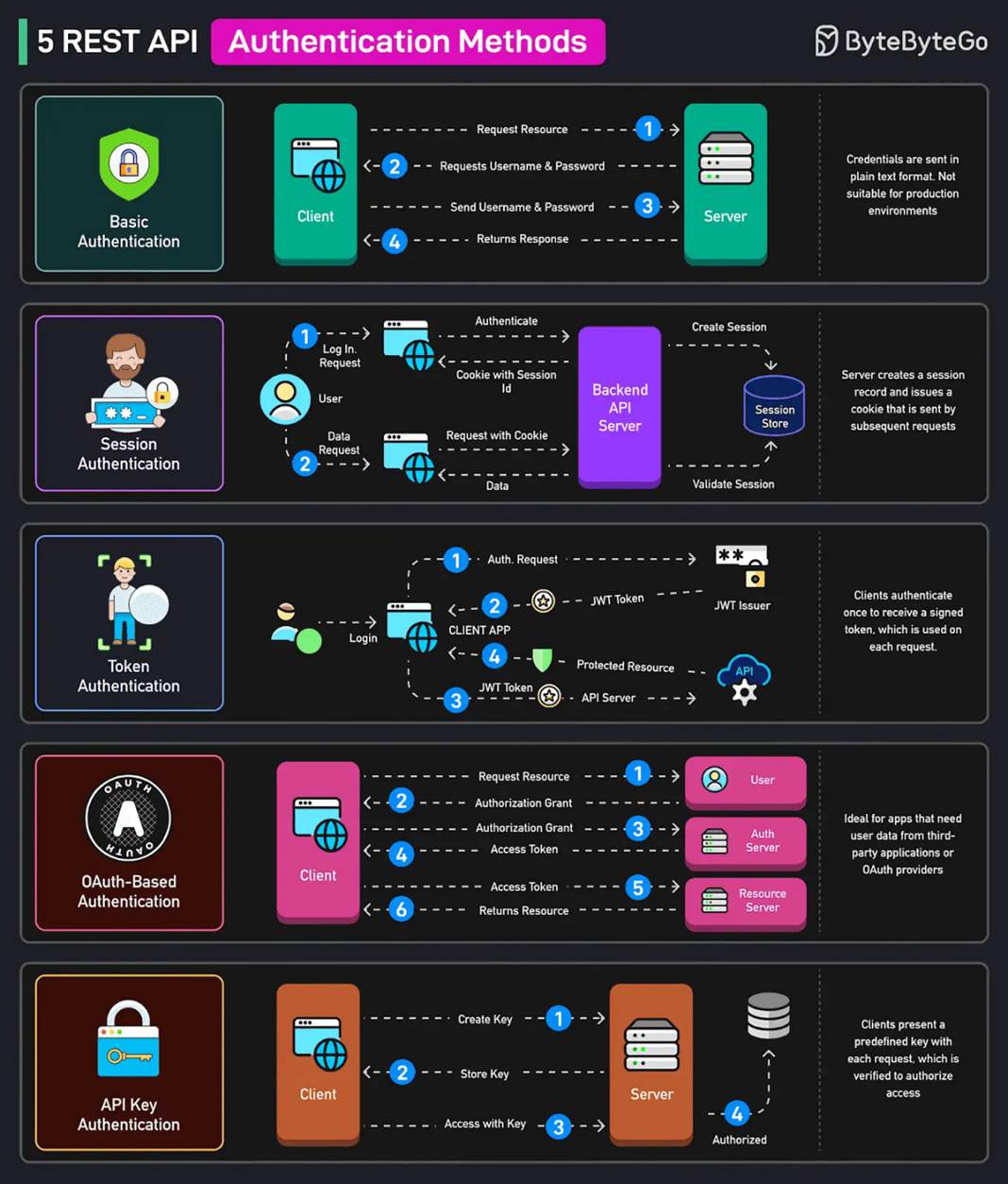
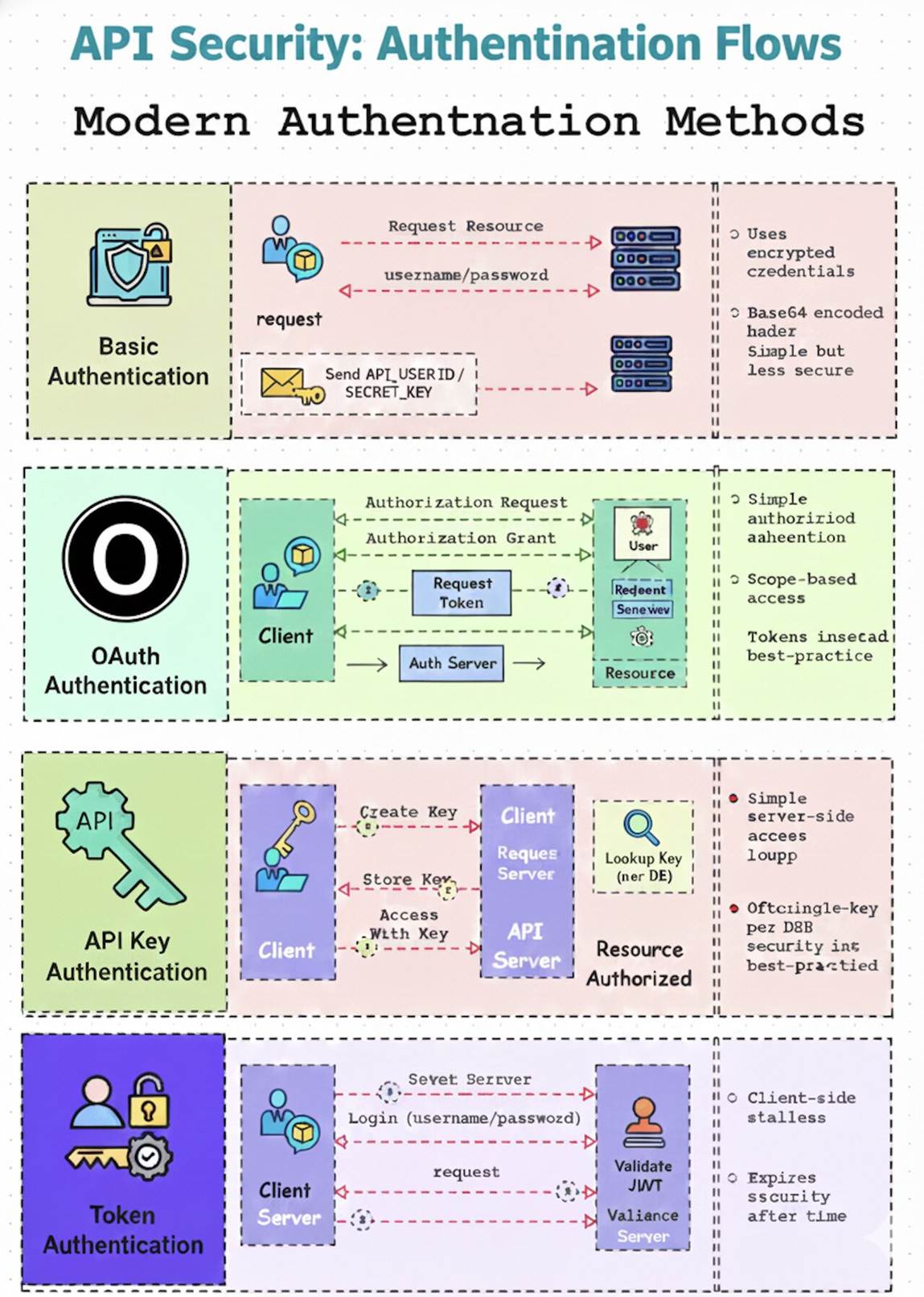
Demystifying REST API Authentication: A Quick Guide
Choosing the right authentication method is critical for securing your REST
APIs. Here's a breakdown of common approaches:
🔒 Basic Authentication: Simple user/password
method, but inherently vulnerable without HTTPS encryption for every request.
🔑 API Key Authentication: Uses a
single-purpose key for client identification, offering simplicity but
susceptible to exposure if mishandled or intercepted.
🔐 Token Authentication (JWT/Bearer): Client
logs in to receive an encrypted token, which is then sent with subsequent
requests. It's stateless for enhanced scalability and widely used in modern web
applications.
🤝 OAuth Authentication: A token-based method
that reduces data exposure and enables granular access control and permissions,
ideal for third-party application access.
WT
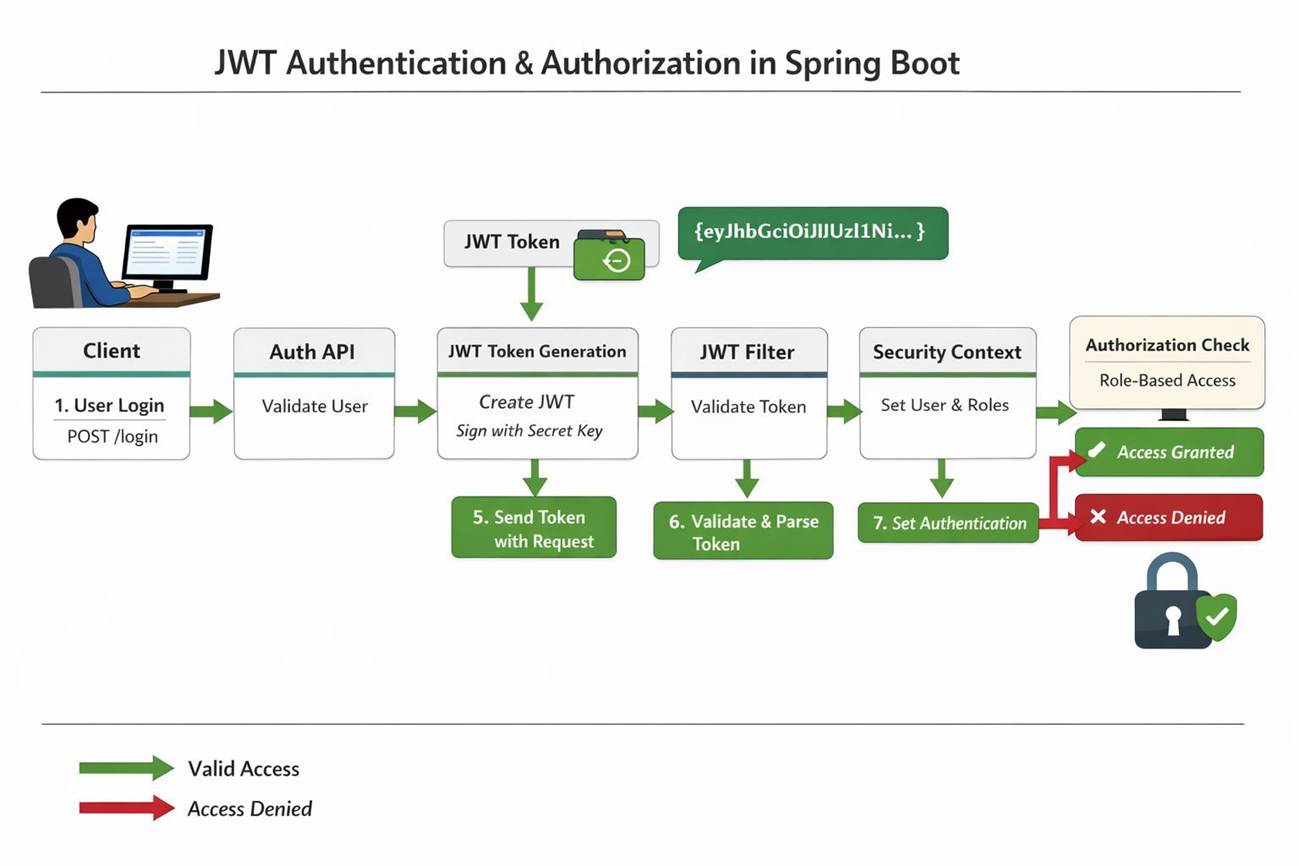
Authentication & Authorization in Spring Boot
JWT is widely used in Spring Boot applications, yet many developers struggle to
explain the complete flow clearly, especially during technical interviews.
Breaks down JWT authentication and authorization end-to-end 👇
🔹 What is JWT?
JWT (JSON Web Token) is a stateless authentication mechanism where:
• The server does not store session data
• The client sends a token with every request
• The token carries user identity and roles
🔹 End-to-End JWT Flow in Spring Boot
1️⃣
User Login
The client submits credentials to the authentication endpoint:
POST /api/auth/login
2️⃣
Authentication & Credential Validation
Spring Security validates credentials using:
• AuthenticationManager
• UserDetailsService
• PasswordEncoder
📌 Key Insight:
Spring Security never compares plain-text passwords.
3️⃣
JWT Token Creation
After successful authentication, a JWT is generated containing:
• Username
• Roles (USER / ADMIN)
• Issued time & expiration
• Digitally signed using a secret key
➡️ Token structure: Header + Payload +
Signature
4️⃣
Token Sent to Client
The token is returned in the response and stored by the client (header, cookie,
or secure storage).
5️⃣
Accessing Protected APIs
Every secured request includes:
Authorization: Bearer <JWT>
6️⃣
JWT Filter Processing
A custom OncePerRequestFilter:
• Extracts the token
• Validates signature & expiry
• Extracts user details
⚠️ This occurs before controller
execution.
7️⃣
Security Context Setup
If valid, Spring Security:
• Creates an Authentication object
• Stores it in SecurityContextHolder
Now the framework knows who the user is and what they’re allowed to do.
8️⃣
Authorization (Role-Based Access Control)
Access decisions are enforced using:
• @PreAuthorize("hasRole('ADMIN')")
• URL-based role restrictions
🔹 Why JWT is Ideal for Microservices
✅ Stateless and scalable
✅ No session replication
✅ API-gateway friendly
✅ Cloud-native by design
💡 If you can explain this flow clearly,
you’re already ahead in Spring Boot interviews.
👉 Save this post for revision
👉 Share with someone preparing for backend
interviews